# 
e x T
«NexT» is a high quality elegant Hexo theme. It is crafted from scratch with love.





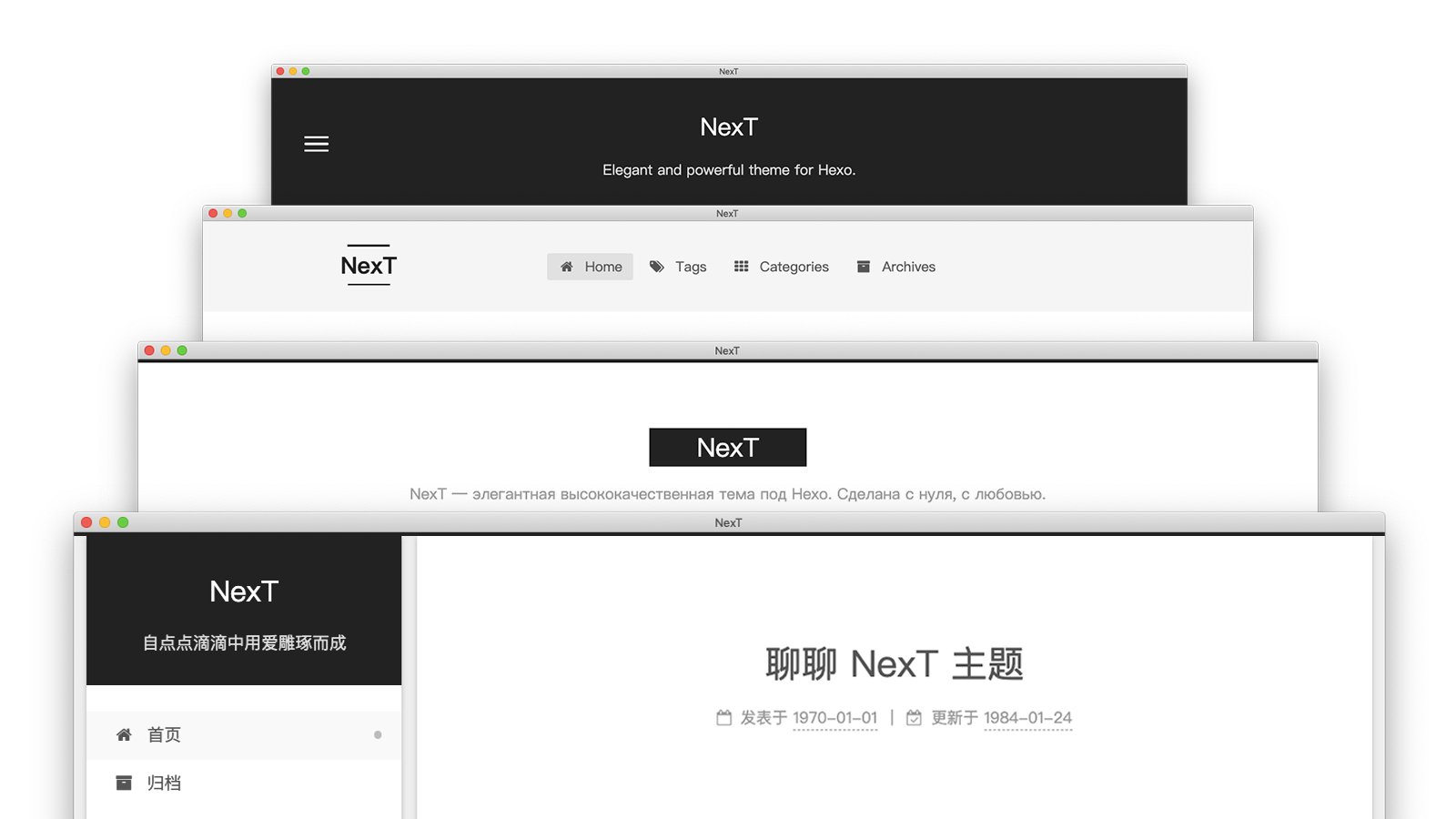
## Live Preview
💟 Muse | 🔯 Mist | ♓️ Pisces | ♊️ Gemini
More «NexT» examples here.
## Installation
The simplest way to install is to clone the entire repository:
```sh
$ cd hexo
$ git clone https://github.com/next-theme/hexo-theme-next themes/next
```
Or you can see [detailed installation instructions][docs-installation-url] if you want any other variant.
## Plugins
NexT supports a large number of third-party plugins, which can be easily configured.
For example, if you want to enable `pjax` on your site, just set `pjax` to `true` in NexT config file:
```yml
# Easily enable fast Ajax navigation on your website.
# Dependencies: https://github.com/next-theme/pjax
pjax: true
```
Then visit the «Dependencies» link to get the installation instructions of this module.
### Configure CDN
If you want to specify a CDN link for any plugins, you need to set / update the CDN link.
For example, if you want to use `mediumzoom` and load the plugin via CDN, go to NexT config and see:
```yml
vendors:
# ...
# Some contents...
# ...
mediumzoom: # Set or update mediumzoom CDN URL.
```
## Update
NexT releases new versions every month. You can update to latest master branch by the following command:
```sh
$ cd themes/next
$ git pull
```
And if you see any error message during update (something like **«Commit your changes or stash them before you can merge»**), recommended to learn [Hexo data files][docs-data-files-url] feature.\
However, you can bypass update errors by using the `Commit`, `Stash` or `Reset` commands for local changes. See [here](https://stackoverflow.com/a/15745424/5861495) how to do it.
**If you want to update from v5.1.x to the latest version, read [this][docs-update-5-1-x-url].**
## Feedback
* Visit the [Awesome NexT][awesome-next-url] list to share plugins and tutorials with other users.
* Join our [Gitter][gitter-url] chats.
* [Add or improve translation][i18n-url] in few seconds.
* Report a bug in [GitHub Issues][issues-bug-url].
* Request a new feature on [GitHub][issues-feat-url].
* Vote for [popular feature requests][feat-req-vote-url].
## Contributing
We welcome you to join the development of NexT. Please see [contributing document][contributing-document-url]. 🤗
Also, we welcome Issue or PR to our [official-plugins][official-plugins-url].
## Contributors
- [iissnan/hexo-theme-next](https://github.com/iissnan/hexo-theme-next/graphs/contributors)
- [theme-next/hexo-theme-next](https://github.com/theme-next/hexo-theme-next/graphs/contributors)
- [next-theme/hexo-theme-next](https://github.com/next-theme/hexo-theme-next/graphs/contributors)
## Thanks
«NexT» send special thanks to these great services that sponsor our core infrastructure:


GitHub allows us to host the Git repository, Netlify allows us to distribute the documentation.

Crowdin allows us to translate conveniently the documentation.
[docs-installation-url]: https://theme-next.js.org/docs/getting-started/installation.html
[docs-data-files-url]: https://theme-next.js.org/docs/getting-started/configuration.html
[docs-update-5-1-x-url]: https://theme-next.js.org/docs/getting-started/update-from-v5.html
[gitter-url]: https://gitter.im/hexo-next
[i18n-url]: https://crowdin.com/project/hexo-theme-next
[awesome-next-url]: https://github.com/next-theme/awesome-next
[issues-bug-url]: https://github.com/next-theme/hexo-theme-next/issues/new?assignees=&labels=Bug&template=bug-report.md
[issues-feat-url]: https://github.com/next-theme/hexo-theme-next/issues/new?assignees=&labels=Feature+Request&template=feature-request.md
[feat-req-vote-url]: https://github.com/next-theme/hexo-theme-next/issues?q=is%3Aopen+is%3Aissue+label%3A%22Feature+Request%22
[contributing-document-url]: https://github.com/next-theme/hexo-theme-next/blob/master/.github/CONTRIBUTING.md
[official-plugins-url]: https://github.com/next-theme